
Description
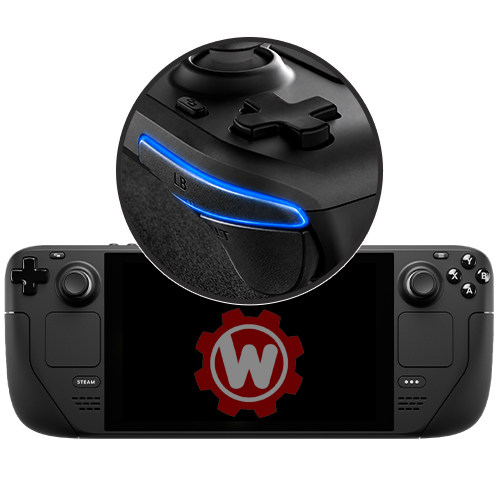
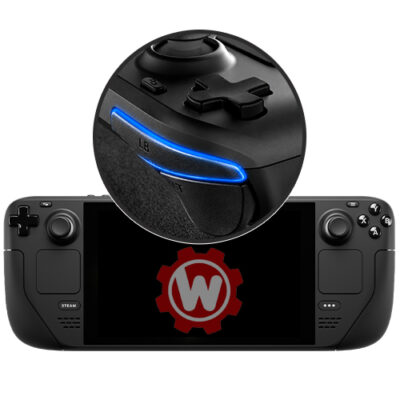
Worn-out or unresponsive bumper buttons can turn fast-paced games into a frustrating guessing game — missed shots, delayed abilities, or ghost inputs that throw off your timing. Our team repairs your Steam Deck's L1/R1 bumpers using OEM-spec parts, restoring crisp, reliable button response. Choose left, right, or both, whatever your Deck needs.
Compatible with
What's included
How it works
Place your order
Select your service and complete checkout. No diagnosis fee — you only pay the listed repair price.
Ship your Steam Deck to us
We recommend UPS or PirateShip. Console only — no controllers or cables needed unless otherwise specified. Follow our shipping instructions for packaging tips.
We repair & test
Your Steam Deck gets a professional bumper button repair, and a full functional test — completed within 24–48 hours of arrival.
Receive it back, ready to go
We ship it back free. Plug in and you're good to go.
Common Causes of Bumper Button Failure
Bumper button issues on the Steam Deck usually come down to one of a few culprits. The most common is a worn or degraded tactile switch under the L1/R1 buttons, which causes double-clicking, ghost inputs, or a mushy feel after extended use. Dust and debris working into the housing over time can also cause bumpers to stick or feel scratchy when pressed. Less commonly, a bumper stops registering entirely due to a cracked or misaligned button carrier, often from a drop or heavy-handed use. In rare cases, what looks like a bumper problem is actually a connection issue on the motherboard — this is something we check for during diagnosis before starting any repair, so you're never paying for a fix that won't solve the actual problem.
OLED vs. LCD Bumper Differences
The Steam Deck OLED redesigned the bumper and trigger assembly compared to the original LCD model, with a revised switch mechanism and adjusted housing tolerances aimed at improving long-term durability. While the failure symptoms are similar across both models, the replacement parts and disassembly process differ, which is why we ask you to confirm your exact model at checkout. Using the correct OEM-spec part for your specific revision ensures proper fit, consistent click feel, and full compatibility with your Deck's existing shell and trigger assembly.
Common questions
Common signs are a bumper that doesn't register presses, feels loose or mushy, is physically stuck, or produces a rattling sound. If you're unsure, note your symptoms at checkout and we'll confirm during diagnosis.
If one bumper has failed from normal wear, the other is often close behind. Choosing both saves you a second shipment down the road, but the choice is yours.
In most cases, yes — that's typically a worn switch under the bumper, which this repair replaces. If the issue turns out to be motherboard-level, we'll contact you before doing any additional work.
No — drift in stock sticks comes from potentiometer wear, and TMR sticks have no contact surfaces to wear out. Your replacement is also covered by our 180-day warranty.
Yes. We've handled thousands of consoles shipped from all over the country. We recommend UPS or PirateShip, and you can add shipping insurance at checkout for extra peace of mind. Your console is treated carefully throughout.
Most controllers are completed within 24–48 hours of arrival, plus shipping time each way. Local customers can book a same-day appointment.
Opening any Steam Deck voids Valve's manufacturer warranty. This is standard for out-of-warranty repairs, and our 180-Day Warranty covers the work performed here.
Absolutely — bulk pricing is available for 3 or more consoles. Contact us before ordering so we can set up the right pricing for you.
Reviews
There are no reviews yet.